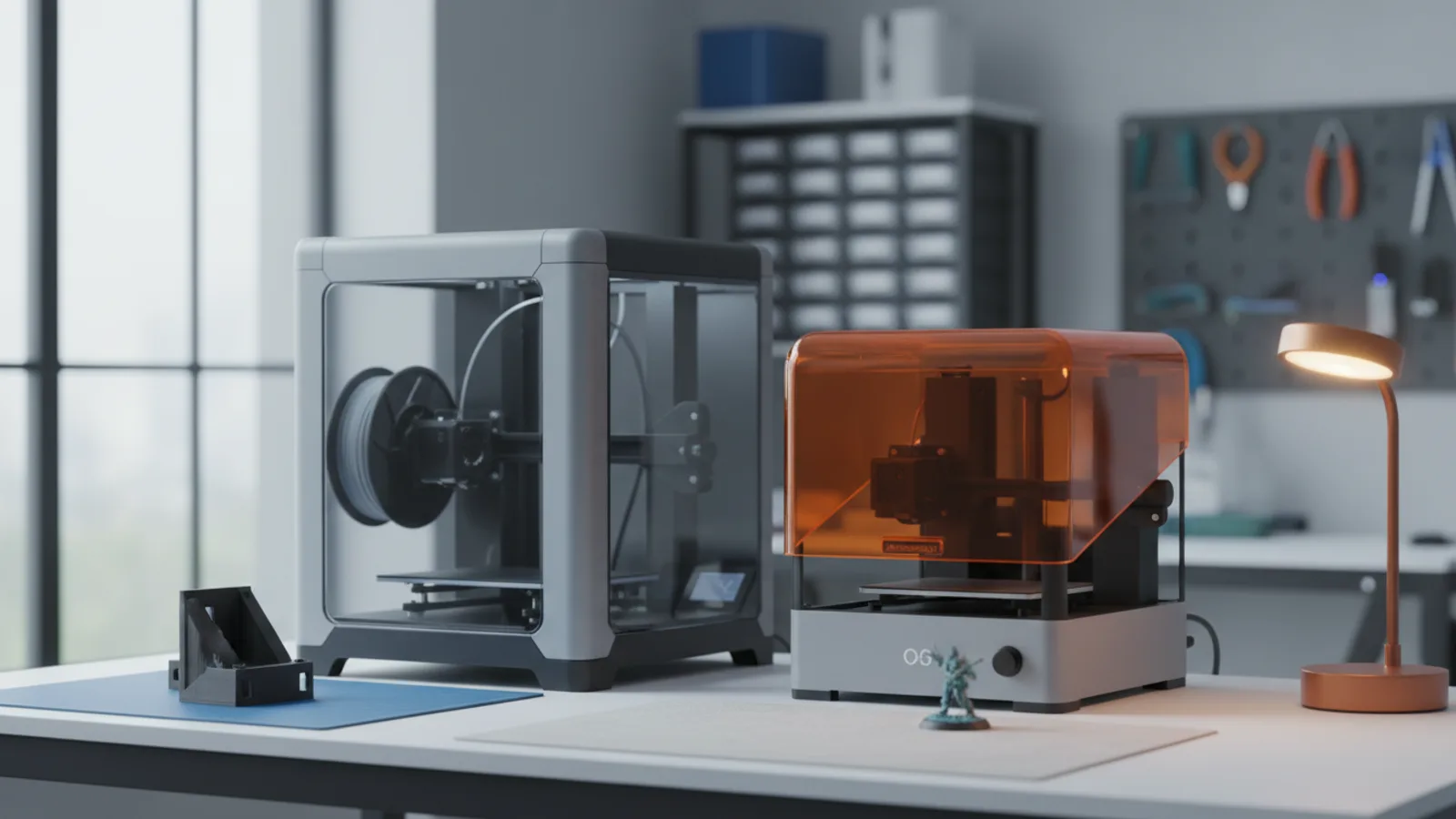
A 3D printer builds an object one thin layer at a time, from a digital model. That’s the whole trick. Where printers differ is how they make each layer, and that one choice decides almost everything else: what the parts look like, how strong they are, how messy the hobby gets and what it costs.
For home makers, it comes down to two kinds of machine: FDM and resin.
FDM: melted plastic, laid down in lines
FDM (fused deposition modeling, sometimes called FFF) is the printer most people picture. A spool of plastic filament feeds into a heated nozzle, which melts it and draws each layer onto a build plate, line by line, like a very precise hot glue gun.
What it’s great at:
- Practical parts: brackets, enclosures, organizers, replacement knobs, jigs for the workshop.
- Bigger prints: build plates of 250 mm or more are common, and parts can be printed in pieces and joined.
- Material choice: PLA for easy everyday printing, PETG for tougher parts, ABS and ASA for heat and sun, TPU for flexible things, nylon and carbon-fiber blends for strength.
- Color: many machines now print several colors in one job.
The trade-off: you can see the layer lines. Fine details under a millimeter get soft, and curved tops show a stair-step pattern. For a phone stand that’s fine. For a 28 mm miniature’s face, it isn’t.
What “CoreXY”, “multicolor” and “tool changer” mean
You’ll see these terms on every spec sheet. CoreXY is a way of moving the print head that keeps the heavy parts still, which is why newer printers are so fast. Multicolor systems feed several spools into one nozzle and purge the old color each time it changes, which wastes some filament. Tool changers, like Bambu Lab’s new H3C, give each color or material its own nozzle and swap between them, so there’s far less purging.
Resin: liquid that hardens in light
Resin printers (often listed as MSLA or LCD printers) work upside down. A build plate dips into a shallow tank of liquid photopolymer resin. Underneath, a screen flashes an image of each layer, and UV light passing through it hardens just those pixels. The plate lifts, peels the layer free, and does it again.
What it’s great at:
- Detail: layers are tiny and edges are crisp. This is the go-to for tabletop miniatures, figurines, jewelry masters and dental models.
- Smooth surfaces: prints often need little sanding before paint.
- Speed on small batches: the whole layer cures at once, so a plate full of minis takes about as long as one.
The trade-offs: resin is messy and needs care. Uncured resin irritates skin and smells, so you need gloves and ventilation. Every print has to be washed (usually in isopropyl alcohol or a dedicated wash fluid) and cured under UV light, which means extra kit. Build volumes are smaller, and most standard resins are more brittle than FDM plastics.
Side by side
| FDM | Resin | |
|---|---|---|
| Best for | Functional parts, big prints, prototypes | Miniatures, jewelry, fine detail |
| Surface | Visible layer lines | Smooth, crisp detail |
| Strength | Tough, many engineering options | Often brittle unless you buy tougher resins |
| Mess | Low | High: liquid resin, washing, curing |
| Safety | Ventilate for ABS and ASA | Gloves and ventilation always |
| Running cost | Low | Higher once you add wash and cure supplies |
Which one should you buy?
Start with FDM if you want to make useful things around the house or workshop, you’re printing in a shared space, or you want the gentlest learning curve. Modern FDM printers are close to plug-and-play.
Start with resin if you mostly want small, detailed models, you have a garage, shed or well-ventilated room, and you’re fine with a post-processing routine.
Plenty of makers end up with one of each. If you’re buying now, our Black Friday deals roundup lists the FDM and resin prices we’ve confirmed with the makers.
What else you’ll need
- A slicer: free software that turns a 3D model into printer instructions. Most brands ship their own.
- Models: download them from community sites or design your own in free CAD tools.
- For resin: nitrile gloves, a wash and cure station or equivalent, and somewhere ventilated.
If you’d rather cut and engrave than build in 3D, read our laser engraver guide next.
Quick answers
Is FDM or resin better for beginners?
FDM, for most people. It's cleaner, cheaper to run and handles practical parts well. Pick resin only if your main goal is small, highly detailed models like miniatures or jewelry masters.
Do resin printers need ventilation?
Yes. Uncured resin gives off fumes and irritates skin, so print in a ventilated space, wear nitrile gloves, and keep it away from kitchens and kids.
How much does it cost to run a 3D printer?
Mostly material. A kilo of common PLA filament prints a lot of parts. Resin costs more per print once you count isopropyl alcohol or wash fluid, gloves and replacement film.
What is a multicolor or tool-changing printer?
Multicolor FDM printers feed several filaments into one nozzle and purge between colors. Tool changers like the Bambu Lab H3C give each color its own nozzle, which cuts waste and makes mixing materials easier.